
How to Turn Your Own Printables into Flat-Lay Mockups
What if you could take the worksheets and printables you already made… and in under a minute, turn them into shop-ready, scroll-stopping, seasonal images, without photographing a single thing?
Introducing Flat-Lay Printable Mockup Studio: a Custom GPT for ChatGPT Pro 5.
This blog post is simply to show you what it does using my own printables as examples and to help you see how easily you can use it in your creative business.
Style it once, Use it Everywhere, made from your own printables!
– Robyn
Why I Made This GPT
If you’re a preschool/kindergarten teacher, homeschool mom, daycare provider, or teacher-seller… you probably have more printables than pictures.
You create fast.
But styling? photographing? mockups? props?
That slows everything down.
So I wanted a tool that would:
- Take my actual printable (not a fake stock worksheet)
- Style it in a flat-lay format that looks like a real center
- Add seasonal / thematic elements
- Keep it brand-consistent
- And make it good enough to drop straight into:
- Etsy/TpT listings
- blog posts
- membership drops
- promo graphics
- newsletters
This Custom GPT does exactly that.
It’s not a general “make an image” GPT — it’s trained for printable sellers + early childhood content.
What You Get With It
- ✅ A Start-Up Menu that asks, “What do you want to make today?” and gives you choices (worksheet mockup, center-style flat-lay, seasonal version, before/after graphic, blog-image version)
- ✅ A User Guide so you don’t have to guess the prompts
- ✅ Outputs that are already styled for kid content — bright, fun, prop-based, but still educational
Let’s Look at the Sample Images Together
Instead of teaching you how to recreate these (you’ll do that with your own files inside the GPT), I want to walk you through what the GPT produced from my real printables and how each one solves a problem teacher-sellers have.
We’ll go image by image.
1. Before → After: “Trace the Word” Printable
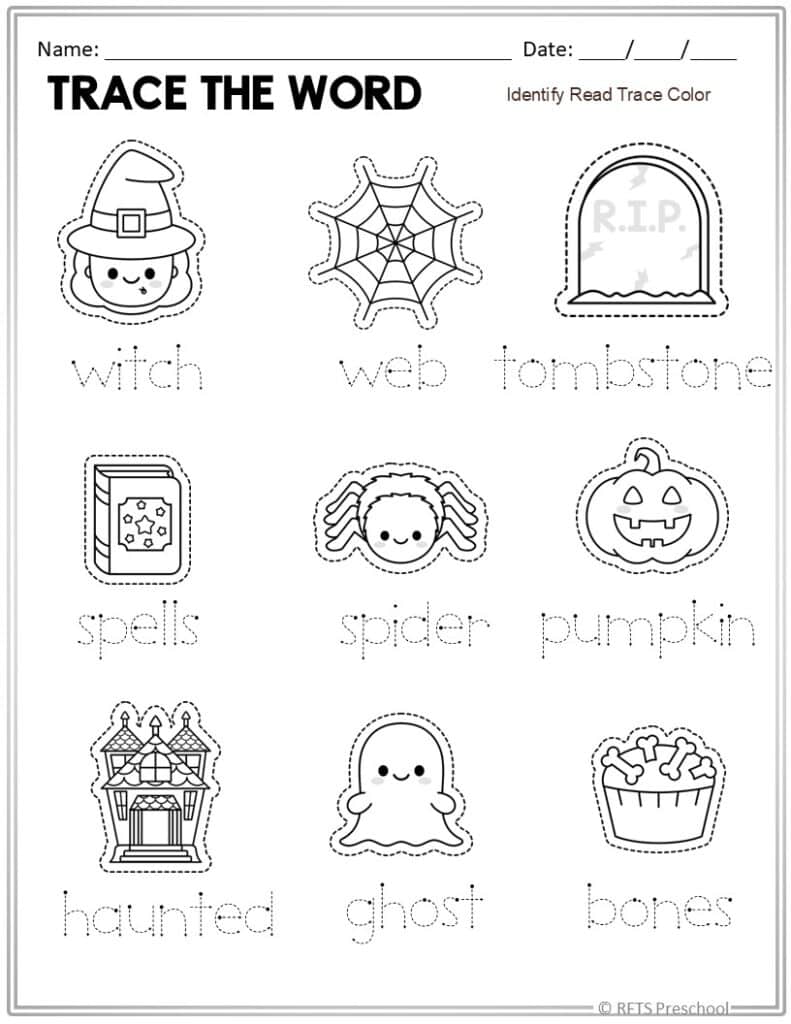
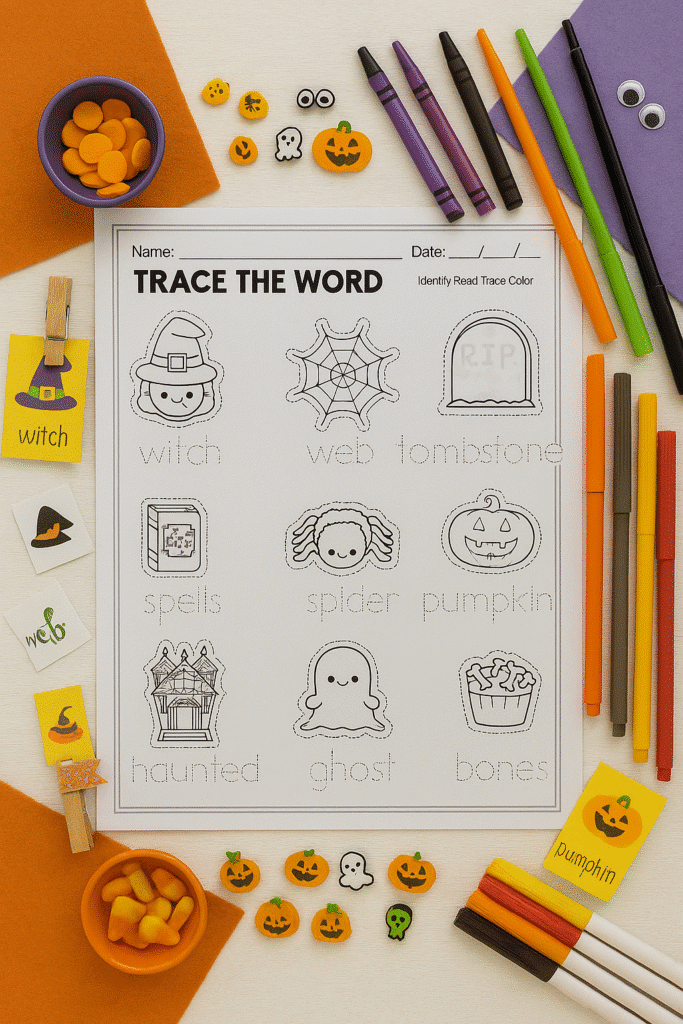
What you’re seeing:
- On the left: a printable activity sheet. Useful, but I need to display it so I can place it on my shop.
- On the right: the same worksheet, but now it’s surrounded by fall/Halloween manipulatives, matching crayons, and little themed Halloween items and icons.
Why this matters:
This is what most of us want, to show a printable in context so buyers can picture: “Oh, I can set this up for my October literacy station.”
How the GPT helped:
I didn’t have to go take photos, gather pumpkins, or open 10 tabs. I just told it the theme and it styled it.
Now I can use this version for: shop cover, “new in the store” posts, or showing parents what the printable looks like.
2. Real Results – Color-by-Letters
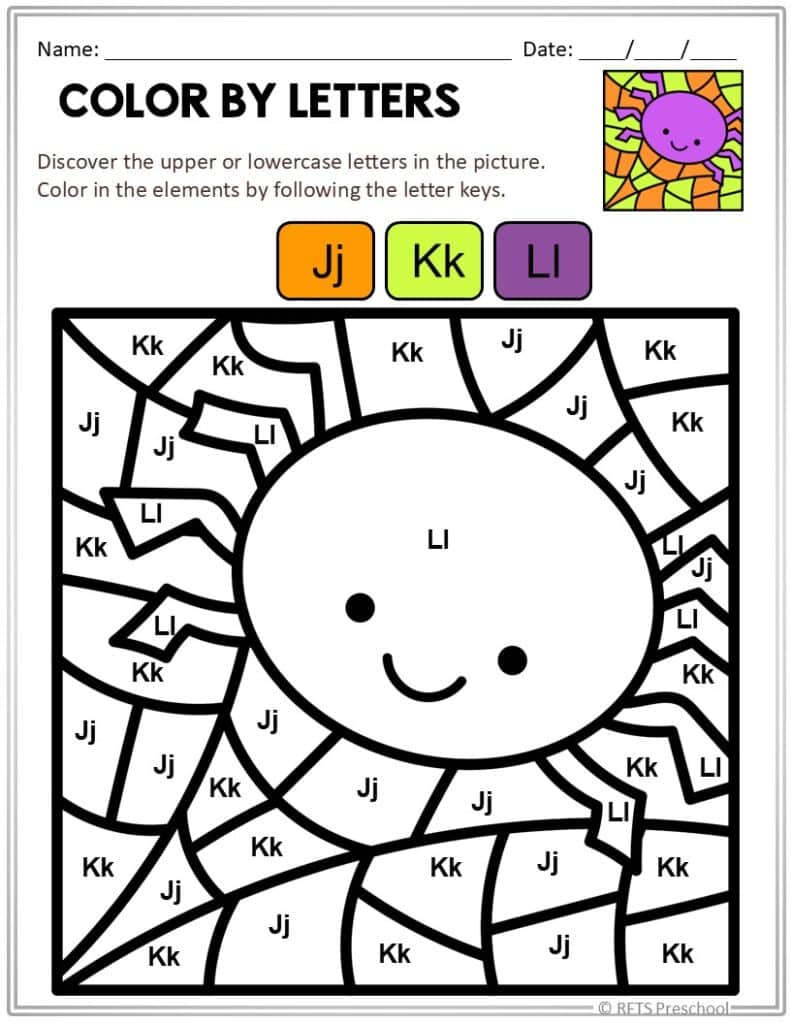
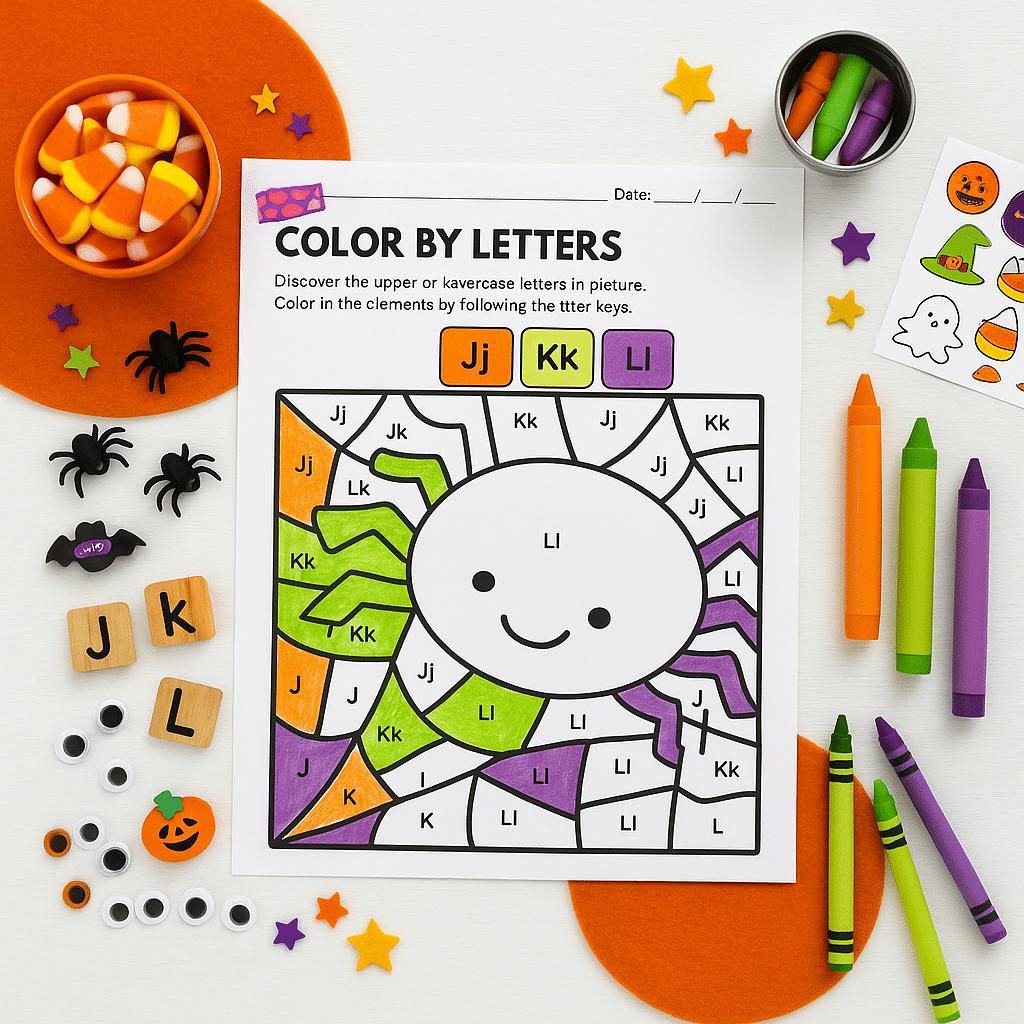
What you’re seeing:
The left side is a blackline “Color by Letters”, something every early childhood seller has in their library. The right side is the GPT version: bright candy corn colors, matching crayons, tiny Halloween details, and the worksheet tilted like a real photo.
What it communicates:
“This isn’t just a PDF. It’s a kid-ready activity.”
Why it’s powerful for sellers:
Works beautifully for seasonal refreshes — you don’t have to remake the worksheet, you just restyle the image.
3. “From Raw to Retail-Ready” – Dot Marker Ten Frames
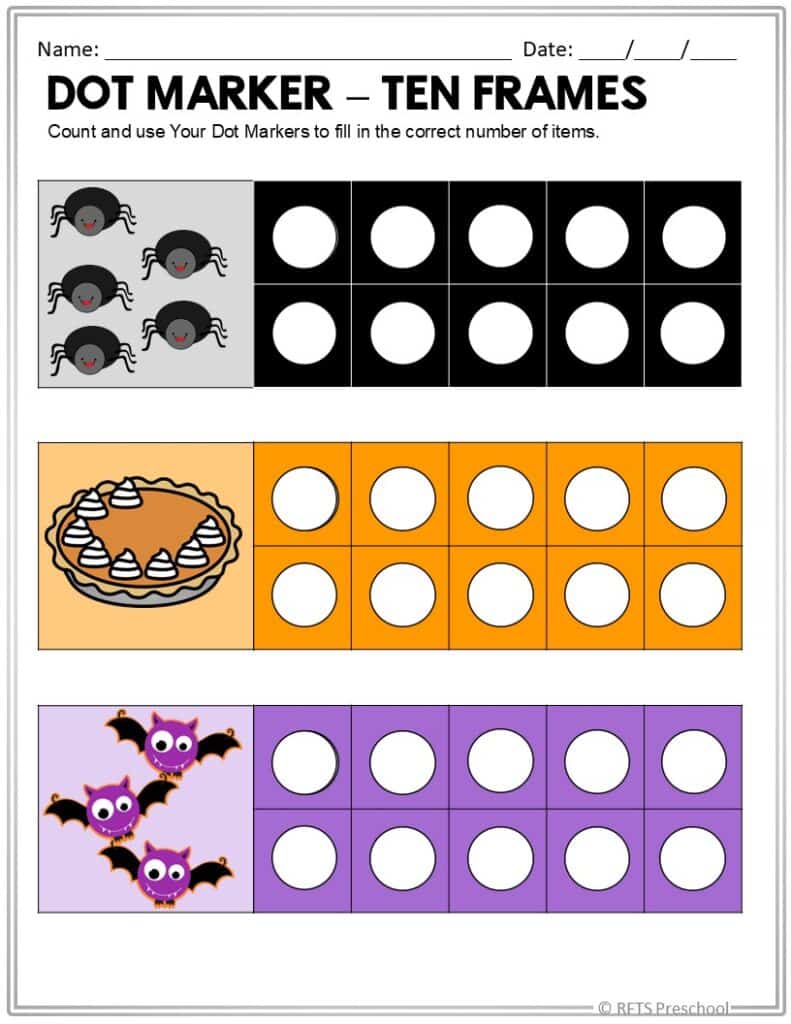
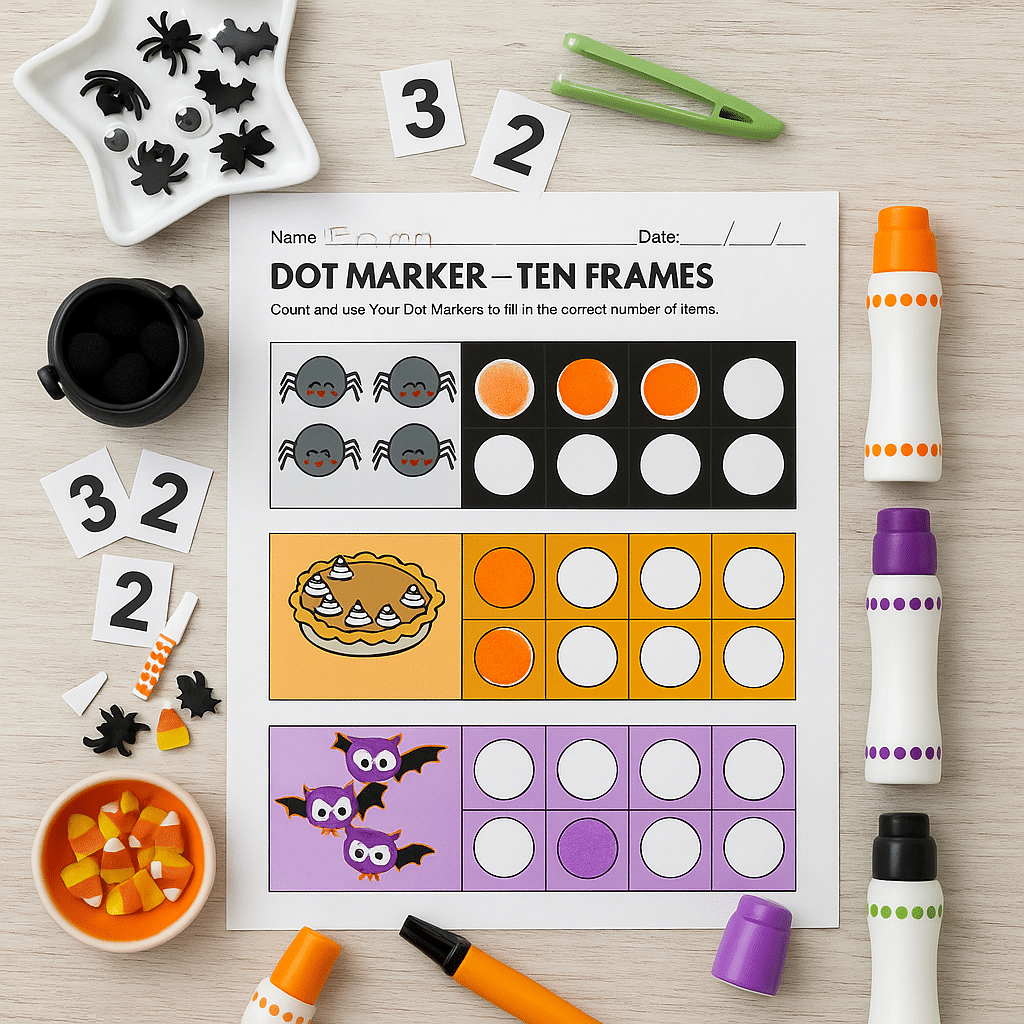
What you’re seeing:
A very simple printable, dot marker ten frames that the GPT turned into a small-group math center scene with black, purple, and orange dot markers, number pieces, and fall add-ins.
What this proves:
Even the most basic resources in your shop can look premium if the presentation is good.
Great for: daycare files, membership previews, “what’s inside October centers” blog posts.
4. “See the Transformation” – Add It Up
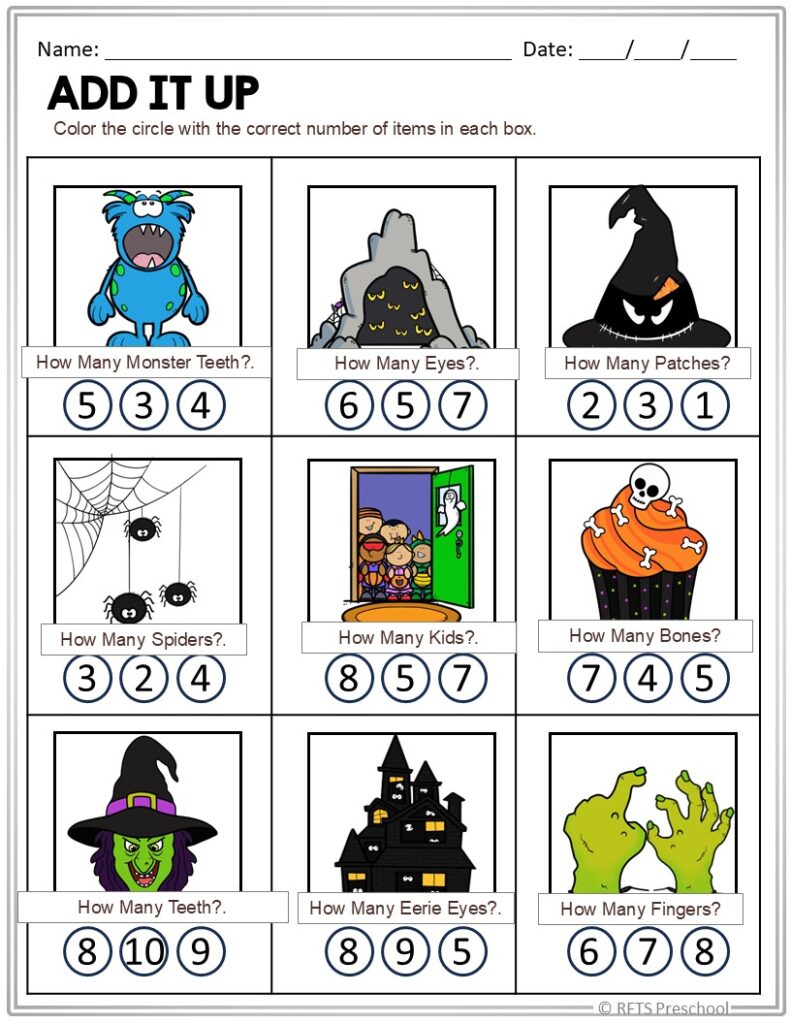
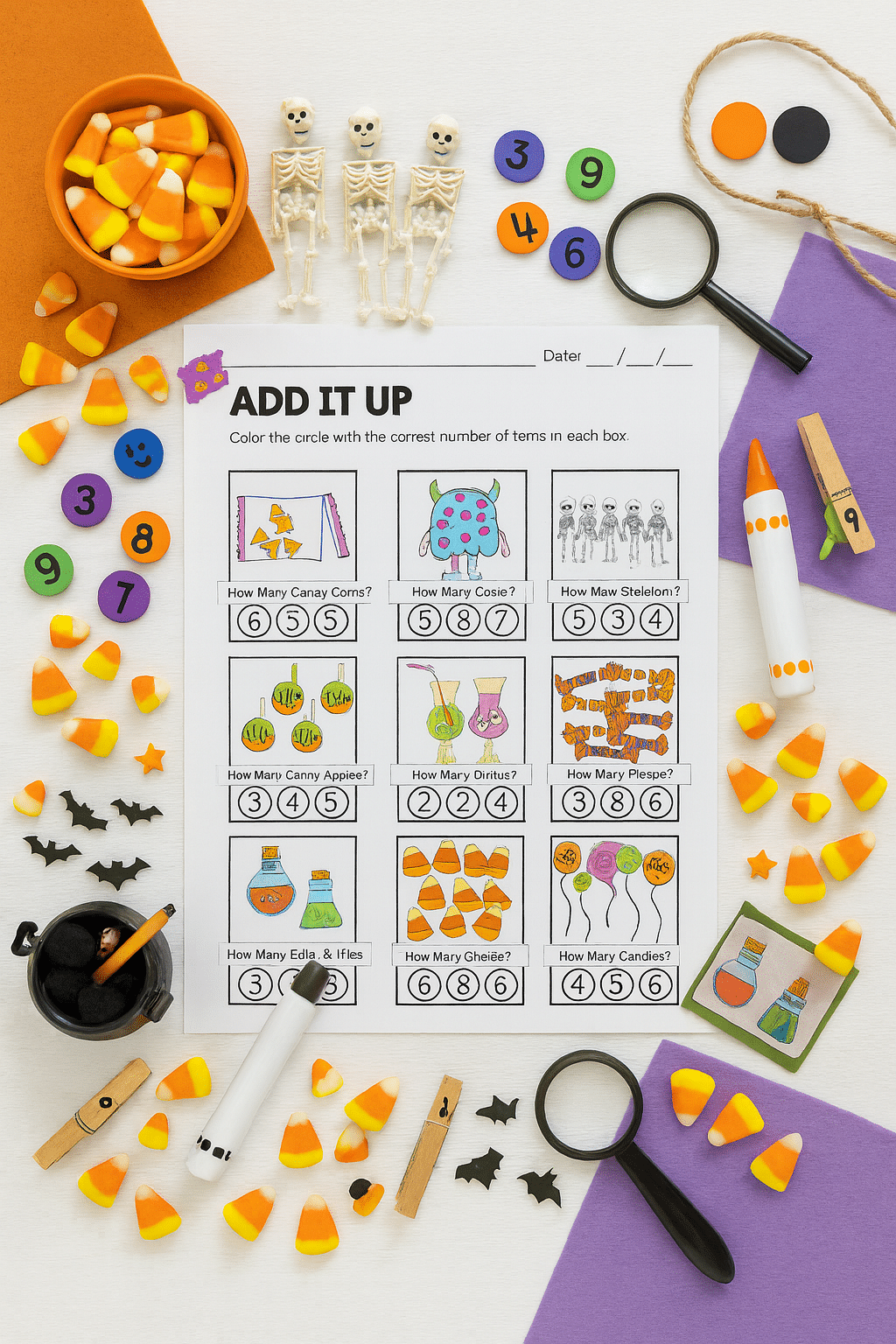
What you’re seeing:
This is the kind of worksheet people scroll past… until it’s styled. Here, the GPT added loose parts, mini skeletons, candy corn, magnifiers, and color-blocked paper under the printable.
What it tells your buyer:
“This is engaging.”
“This is ready for my math shelf.”
“My kids will love this.”
New wording you can use in your blog:
“Your worksheet isn’t boring — it’s just underdressed.”
5. “From Printable to Polished Design” – Green Ten-Frame Set
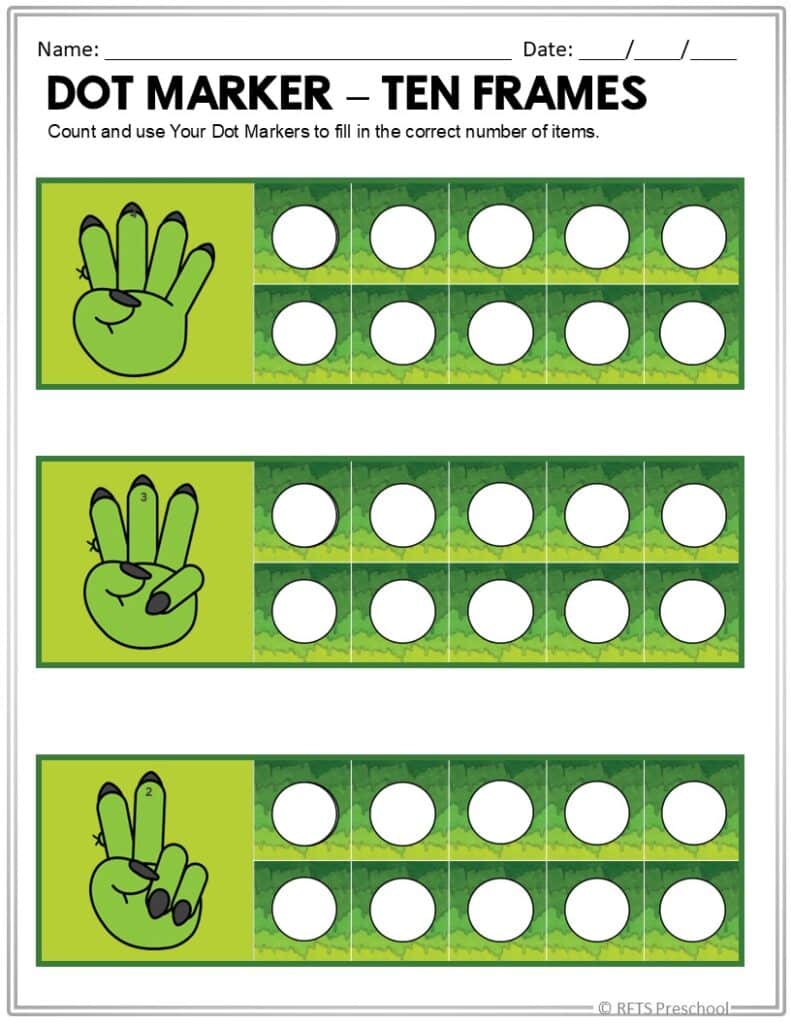
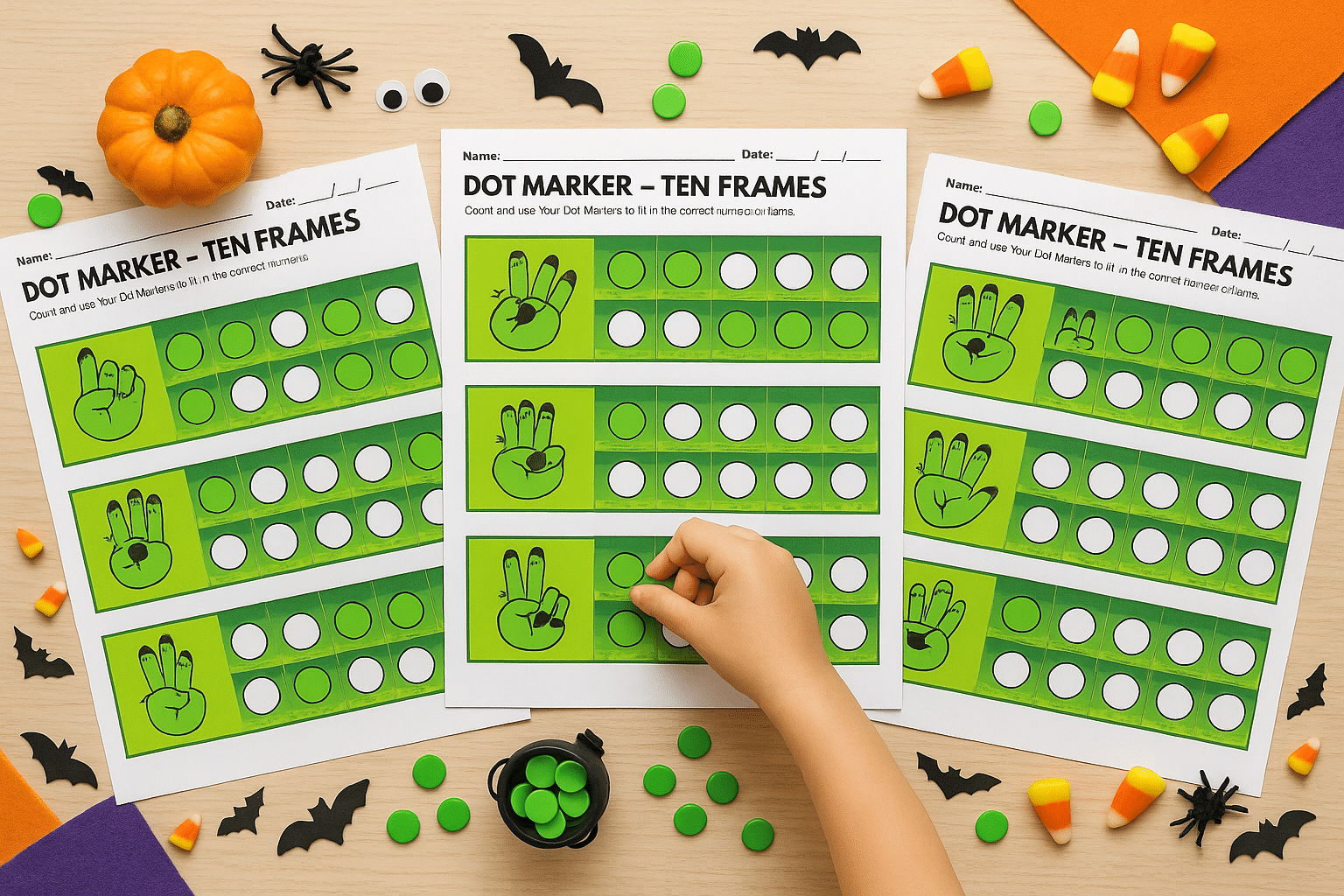
What you’re seeing:
This time, we went from one boring screenshot to multiple styled variations — all laid out like a teacher would present them. The GPT added a child’s hand, mini pumpkins, little bats, and green counters.
Why this is huge:
- Hands = instant relatability
- Multiple pages = instant value
- Seasonal props = instant timeliness
How to describe this in the post (different wording):
“This GPT doesn’t just ‘place’ your printable — it stages it.”
6. “Make Every Image Pop” – Symmetry Page
[PLACEHOLDER: IMAGE – “Before → After – Symmetry with Spider and Ruler”]
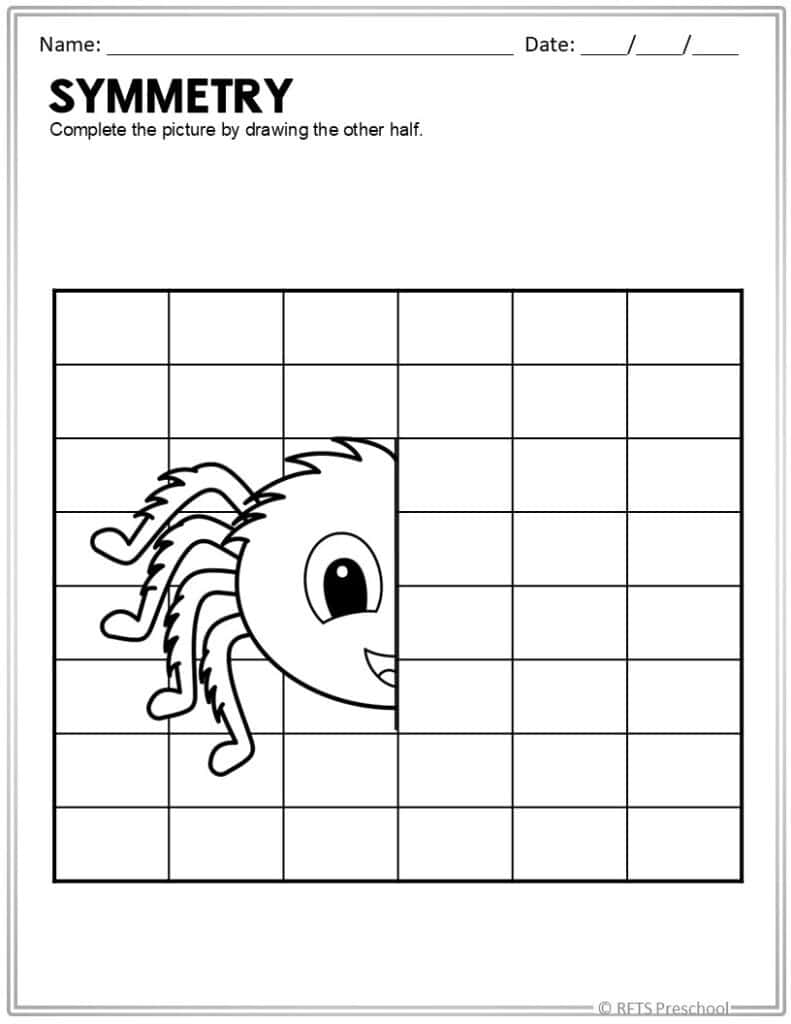
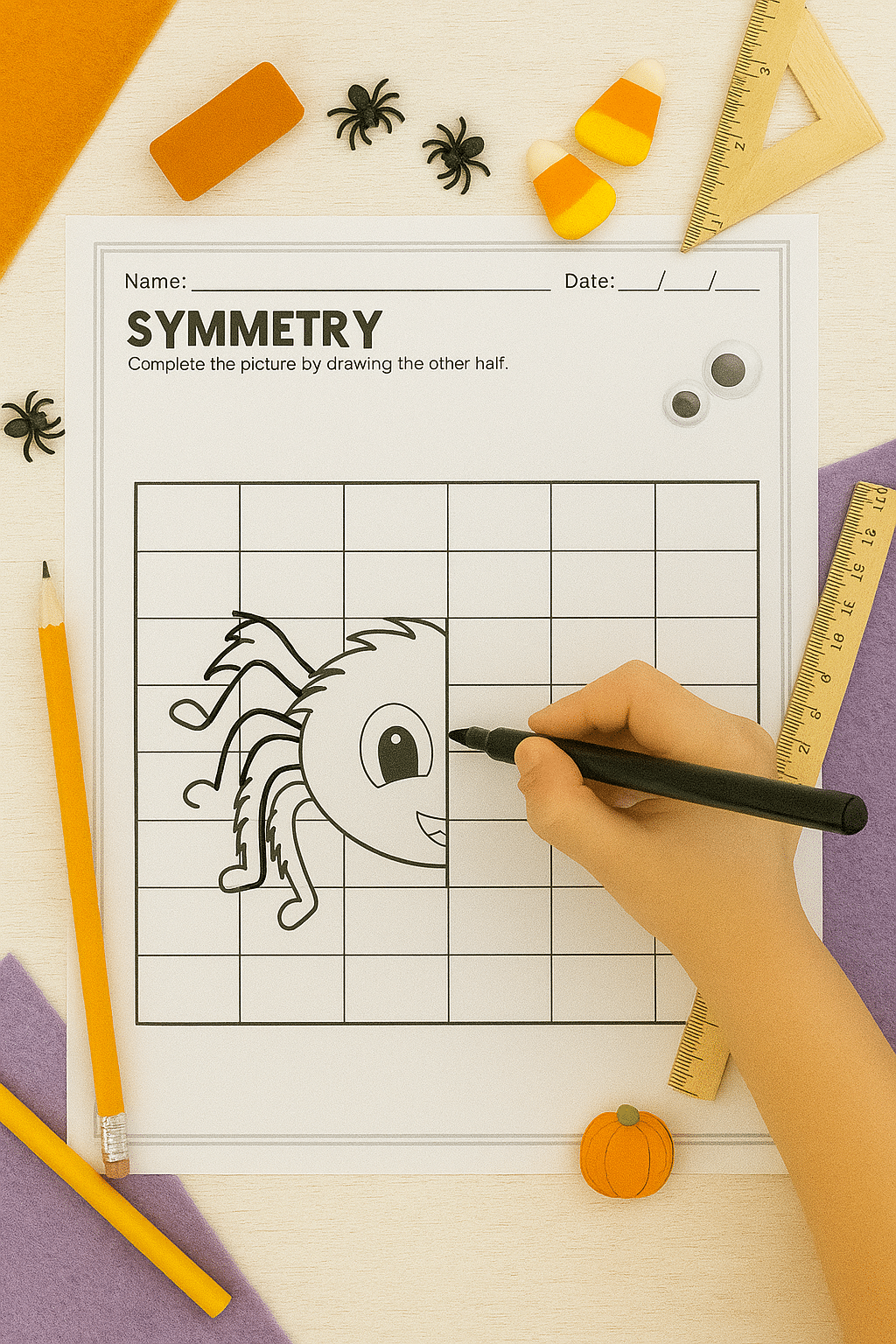
What you’re seeing:
The original is a plain grid-based symmetry worksheet. The GPT version shows a child actually completing it, with tiny pumpkins and googly eyes nearby.
Why this matters for early childhood content:
It shows process, not just product. This is wonderful for blog posts, “How to Use” sections, or parenting newsletters.
Alternate way to say it for variety:
“Instead of a cold screenshot, you now have a real-life learning moment.”
7. “Transform Printables in Seconds” – Porch Party Maze
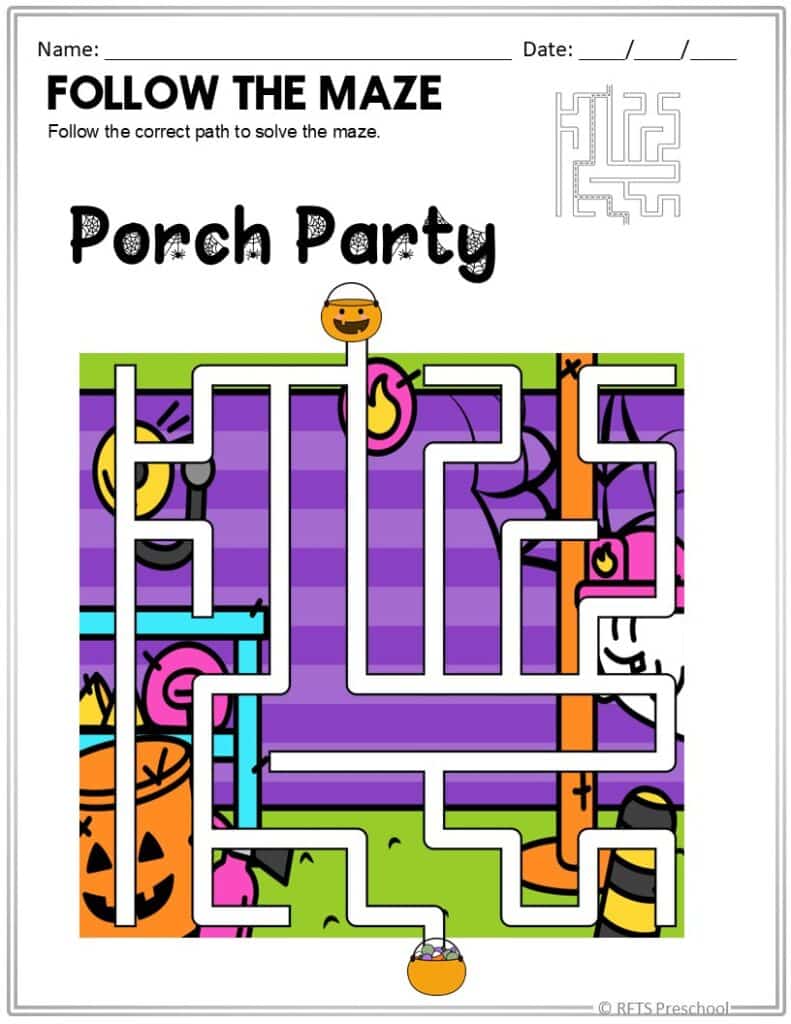
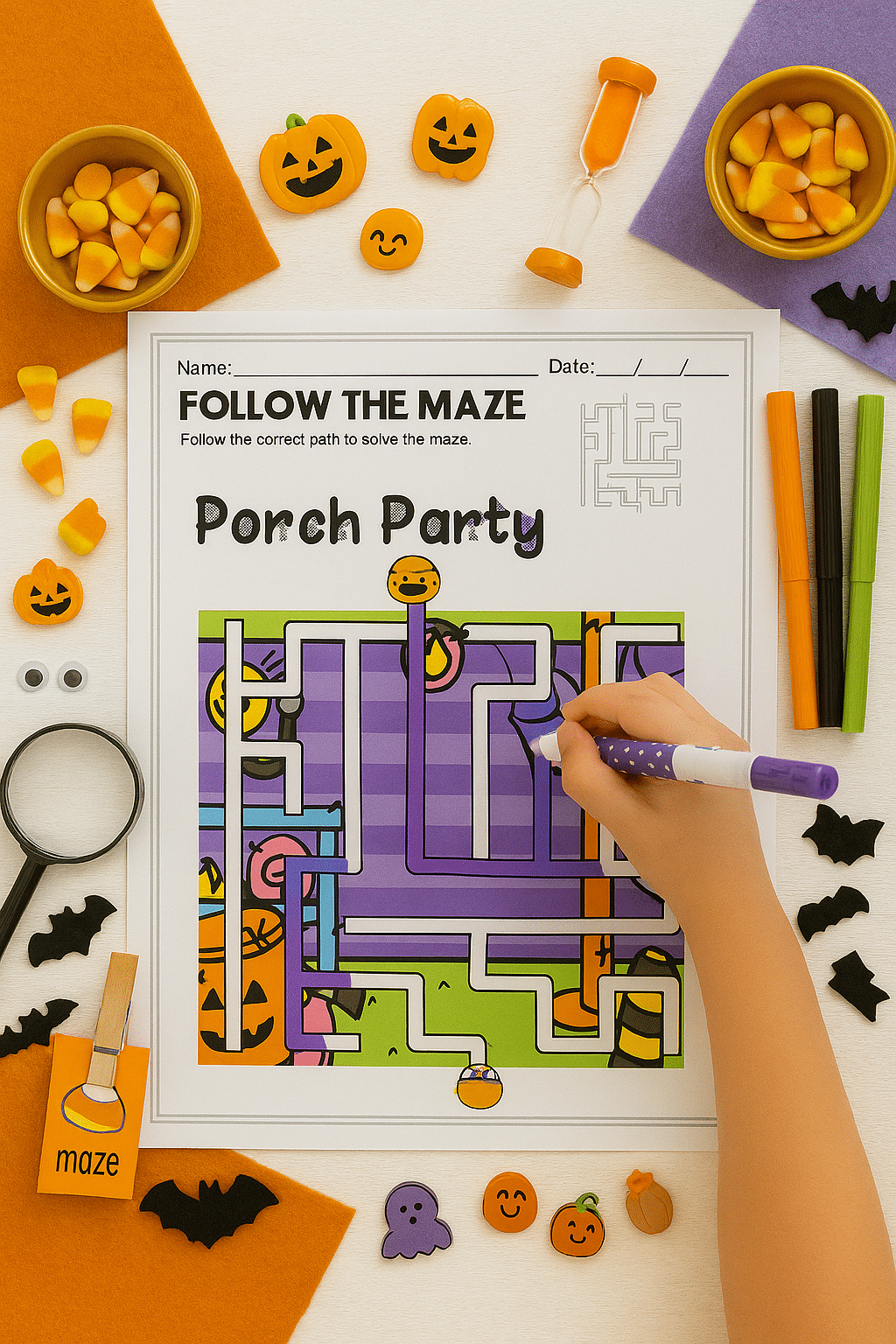
What you’re seeing:
A plain maze page that is now alive, color blocks, themed manipulatives, child’s hand, table-top angle.
What it demonstrates:
This GPT works on any kind of printable — mazes, dot-to-dots, scissor practice, tracing, even Bible story cut-and-paste. You don’t have to redesign the worksheet — just restyle the image.
7. “Spot, Match, and Make It Cute” – Halloween Shadow Match
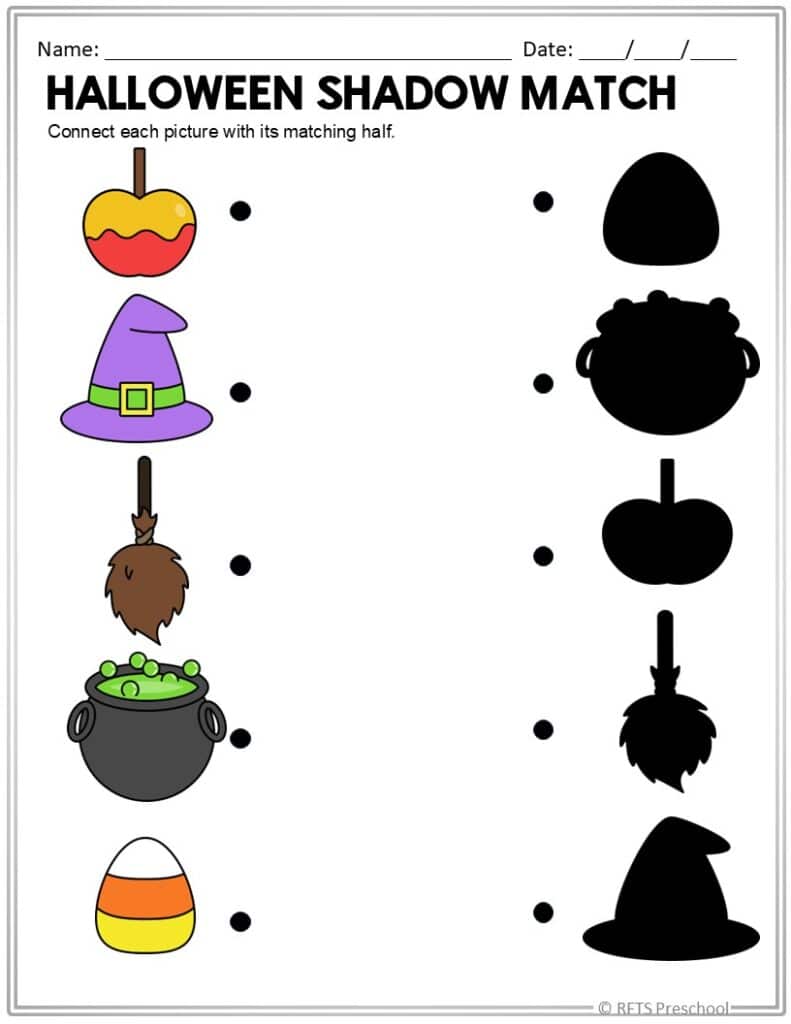
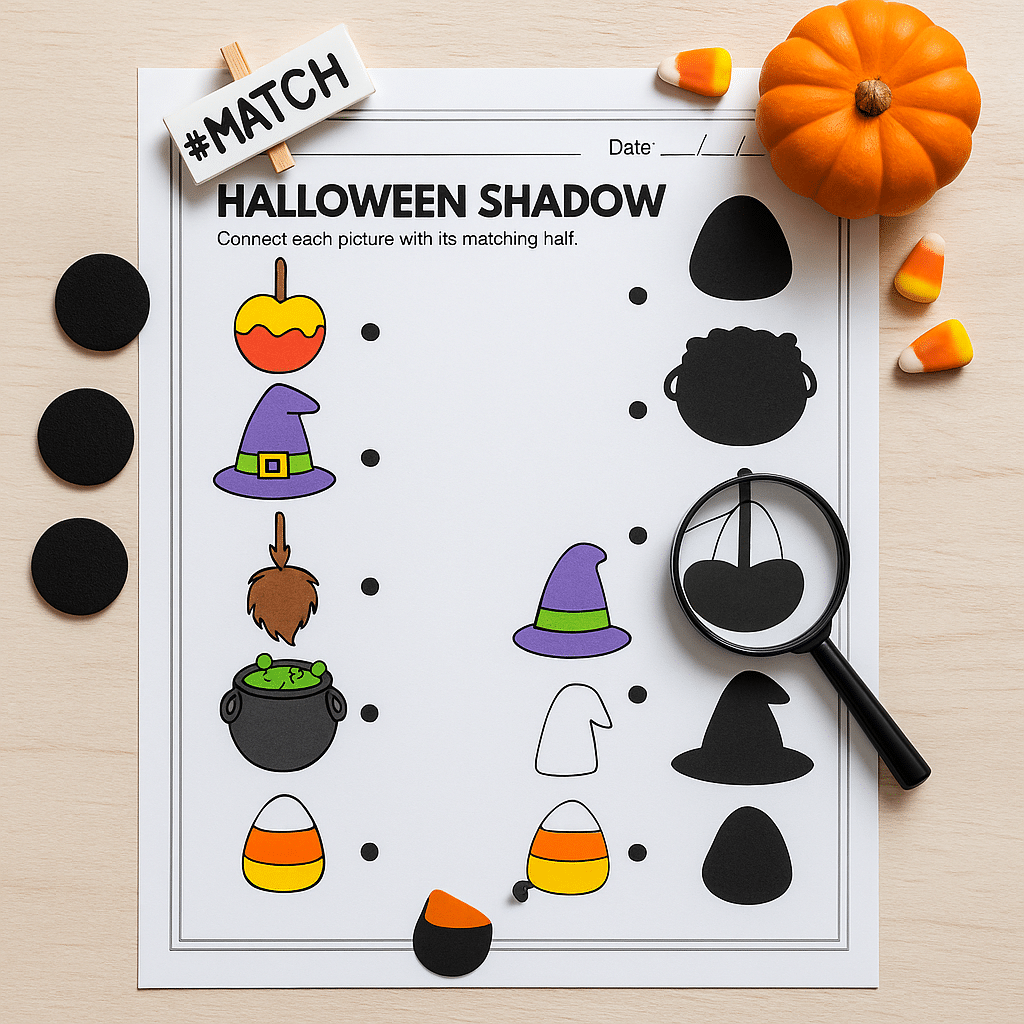
What you’re seeing:
A simple Halloween shadow-matching worksheet that would normally just sit on a white page — now styled with a mini pumpkin, candy corn accents, a #MATCH label, and a magnifying glass to suggest close-looking.
What it demonstrates:
This GPT doesn’t only pretty-up tracing and ten frames — it also elevates visual discrimination, matching, and preschool skill pages. You can take your seasonal “quick wins” (like this shadow match) and make them look intentional, center-ready, and shop-worthy without rebuilding the worksheet.
So… What Is This GPT Actually Doing?
It’s not “magic.” It’s a tool that’s been pointed directly at one problem:
“I need better images for the products I already made.”
Here’s the workflow you’ll use:
- Open the GPT
- Pick from the Start-Up Menu what you want (flat-lay, seasonal mockup, before/after, blog visual, shop-ready)
- Give it your printable (or describe it)
- Tell it the theme (Halloween, fall, farm, apples, math, tracing, preschool, kindergarten)
- Get your styled output
- Drop it into your listing / blog / promo
That’s it. No overthinking, no designing from scratch.
What You Can Create With It
You can add this whole list to your blog exactly like this:
- Professional flat-lay mockups for your own printables, worksheets, activities, and crafts
- Visually aligned content that uses the same style across your listings or curriculum posts
- Printable previews that show the worksheet in-use, not just exported
- Styled variations (black-and-white, seasonal, age-specific, literacy/math versions)
- Descriptive write-ups that explain learning skills and features
- Quick visual concepts for new printable ideas
- Polished listings & resources for your blogs, shops, or classroom packets
- Creative product expansion (icons, cutouts, buttons, matching pages)
- Inspiration on demand, which is huge on days you don’t want to “be creative” but still need content
A Note for the Over-Givers
You do not have to mockup every single product in your store in one weekend.
Pick:
- 5 bestsellers,
- 5 seasonal,
- 5 new
…and run those through the GPT. That alone will make your shop look fresher and more professional.
This is a tool to make your work lighter, not another thing to be perfect at.
If you want to use your own worksheets, your own printables, and your own style, and you’re tired of either (1) using the same old mockup frame or (2) not posting because your images aren’t ready…
👉 Grab the Flat-Lay Printable Mockup Studio (Custom GPT for PRO 5) and start turning your PDFs into polished, shop-ready visuals in minutes.
You’ll get:
- the GPT
- the user guide
- and the inspiration you’ve been missing
Looking for an easier way to create those activity printable mockups and covers? Learn more about my Flat-Lay Printable Mockup Studio for GPT for PRO 5 here.
And yes, it will work beautifully for your preschool packs, your TpT store, your Etsy shop, your daycare files, your Sunday School printables, and even your blog content.
When your images look better, your resources get the attention they deserve. 💛
